
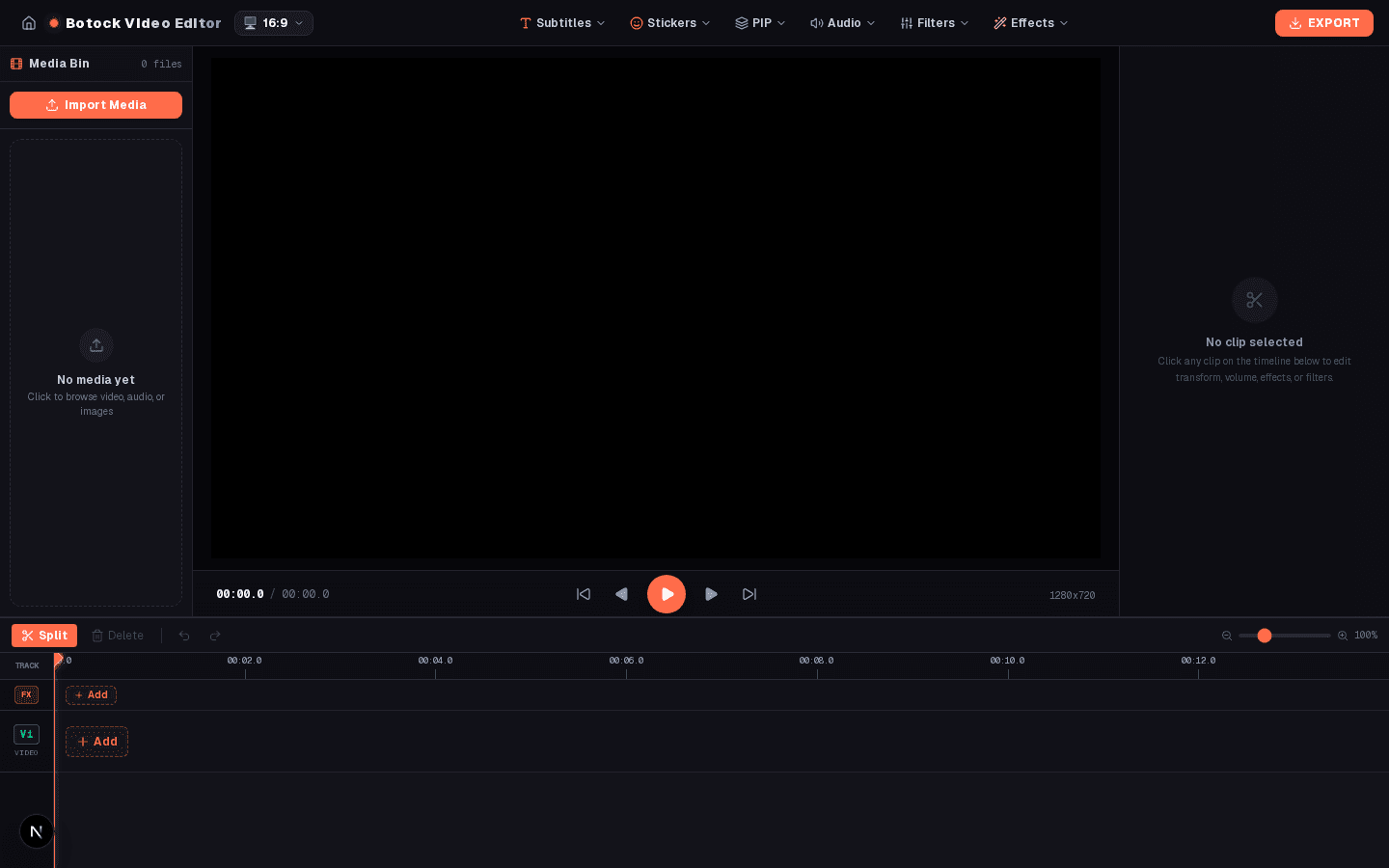
Why Was Botock Video Editor Built?
Content creation moves fast. Creators editing daily TikToks, YouTube Shorts, product promos, reaction clips, or educational walkthroughs are caught between two frustrating extremes:
⚠️ Problem 1: Desktop Software Bloat
Traditional non-linear editors (NLEs) like Adobe Premiere or DaVinci Resolve require 10GB+ downloads, complex installations, high-end dedicated GPUs, and steep subscription paywalls just to trim clips, add zooms, and animate stickers.
⚠️ Problem 2: Cloud Privacy & Upload Lags
Cloud-based video editors force creators to upload confidential, raw 4K footage over slow internet connections to unknown cloud servers, locking final exports behind surprise subscription paywalls and watermarks.
Botock Video Editor was built to eliminate both bottlenecks. It delivers desktop-grade editing features—including a multi-track power hierarchy timeline, dedicated FX tracks, 8-directional motion path animations, typewriter text, and continuous camera zooms—all inside your web browser. Powered by WebAssembly (WASM), all media stays 100% on your local machine with zero server uploads and zero privacy risks.
What Can You Do With It? Complete Feature Breakdown
1. Multi-Track Power Hierarchy Timeline
Botock implements a strict power hierarchy compositing order. Every visual element renders in its correct natural stacking order so titles never get buried behind videos and effects apply where intended:
2. Visual Effects Track with Interactive Duration Handles
Unlike basic web editors where effects are applied blindly to whole clips, Botock features a dedicated FX track directly on the timeline. When you click any visual effect, an adjustable 2.0-second block is inserted at your current playhead position.
- Draggable Duration Handles: Grab the pink handles on either side of the effect block directly on the timeline to extend or shrink its duration (“kam ya zyada kerna”).
- Effect Inspector: Clicking any effect block opens the Effect Block Settings to adjust intensity from 0% to 250%, switch effect presets on the fly, or test-play the range.
- Instant Keyboard Deletion: Tap Delete or Backspace to remove an effect block without touching the underlying video.
3. Continuous Zoom vs. Smooth Zoom (Deep Dive)
Camera zooms are critical for engaging content, but different scenes require different zoom kinetics. Botock offers two distinct zoom modes:
Steady linear push/pull: Keeps zooming deeper and deeper constantly for as long as the effect block lasts on the timeline without slowing down or flattening out. Perfect for building suspense, dramatic reveals, and documentary pushes.
Cinematic S-Curve Ease: Accelerates gracefully at the start and gently decelerates into a settled zoom position. Ideal for vlog transitions, punchy punch-ins on punchlines, and focal point shifts.
4. Dedicated Directional Motion Studio
Completely separated from transitions, the Motion tab gives you PowerPoint-style kinetic motion paths for any element—videos, images, meme GIFs, stickers, and subtitles:
Select Left, Right, Up, Down, Up-Left, Up-Right, Down-Left, Down-Right from the dropdown or 3x3 compass pad.
Set exact motion duration (e.g., 1.5s) and start delay offset. The timeline clip renders a visual amber motion progress strip.
Choose Straight Line, Arc Curve ↷, or Zigzag ⚡ with optional “Rotate in flight direction” alignment.
5. Typewriter Subtitles & Kinetic Text Animations
Viewers retain 80% more information when subtitles animate dynamically. Botock includes a native Typewriter effect with an adjustable speed slider (characters per second), alongside kinetic slide entrances (Left-to-Right, Bottom-to-Top, Pop In, Fade In). Emoji stickers render in full native color without distorted borders.
6. Scene Transitions Studio (In & Out Cuts)
Scene transitions strictly manage cuts between footage. Configure independent In (entrance) and Out (exit) transitions with customizable durations: Crossfade, Dip to Black/White, Directional Slides, Zoom In/Out, Curtain Wipe, Mirror Flip, and Bouncing Pop.
7. 100% Private Client-Side WebAssembly Export
Every pixel is rendered locally by your browser's WebAssembly engine. No watermarks are applied, no queue lines exist, and your private videos never touch a remote server. You get clean, high-bitrate 1080p MP4 exports ready for instant publishing.
How to Use Botock Video Editor (Step-by-Step)
Import Your Media
Open the Media Bin on the left and upload your videos, photos, voice recordings, or GIFs. You can also paste YouTube or external video links.
Add Media to Timeline Tracks
Click (+) on V1 to place your base video. Add secondary footage, GIFs, or reaction overlays to the V2 track for picture-in-picture compositing.
Trim and Split Clips
Scrub the playhead to any timestamp and click the Scissors (Split) icon. Drag the clip edges to trim in/out points with magnetic snapping.
Place Visual FX on the FX Track
Click any effect in the Effects tab (such as Continuous Zoom In or Glitch). It places a 2.0s block on the FX track. Drag its handles to adjust duration.
Animate Movement with the Motion Tab
Select any sticker, GIF, text, or overlay. Open the Motion tab, choose Move, pick your direction (e.g., Left to Right), and configure the timer.
Add Animated Subtitles & Audio
Add text to the Sub track, enable Typewriter speed, and add background music or record a voiceover on audio track A1.
Export High-Quality MP4
Select your desired canvas aspect ratio (16:9 for YouTube or 9:16 for TikTok/Shorts) and click Export Video. Download your final MP4 instantly.
Who Is It For & Real-World Use Cases
📱 Short-Form Creators (TikTok, Shorts, Reels)
Quickly assemble 9:16 vertical videos, add punchy continuous camera zooms during key moments, animate floating reaction stickers, and generate typewriter captions without firing up a heavy desktop editor.
🎙️ Commentary & Reaction Channels
Layer your webcam reaction on V2 above the source gameplay or podcast on V1. Add impact shakes, anime speed lines, and directional motion paths to meme pop-ups.
🛍️ E-Commerce & Product Marketers
Create engaging product showcases by slowly continuous-zooming on product features, sliding discount callout badges across the screen, and adding clean audio tracks.
🎓 Educators & Tutorial Creators
Record voiceovers directly in the editor, slide pointers or arrows across diagrams using the Motion compass, and guide students with typewriter code or text annotations.
Botock Video Editor vs. Alternatives
| Feature | Botock Video Editor | Heavy Desktop NLEs | Cloud Web Editors |
|---|---|---|---|
| Installation Required | None (Runs in Browser) | 10GB+ Download | None |
| Footage Privacy | 100% Local (WASM) | 100% Local | Uploaded to Cloud Servers |
| Timeline FX Handles | Yes (Dedicated FX Track) | Complex Keyframe Graphs | Rarely / Clip-wide only |
| Continuous Linear Zoom | Yes (1-Click Preset) | Manual Curves Required | No |
| 8-Way Motion Compass | Yes (Directional Compass) | Manual X/Y Keyframing | Basic Presets Only |
| Cost & Watermarks | Free & No Watermarks | $20 - $50/mo Subscription | Export Paywall / Watermark |
Create Your Next Video in Seconds
Experience the power of multi-track editing, continuous zooms, timeline FX handles, and directional motion paths right from your browser.